
Chrome extension
Allen, right in your feed.
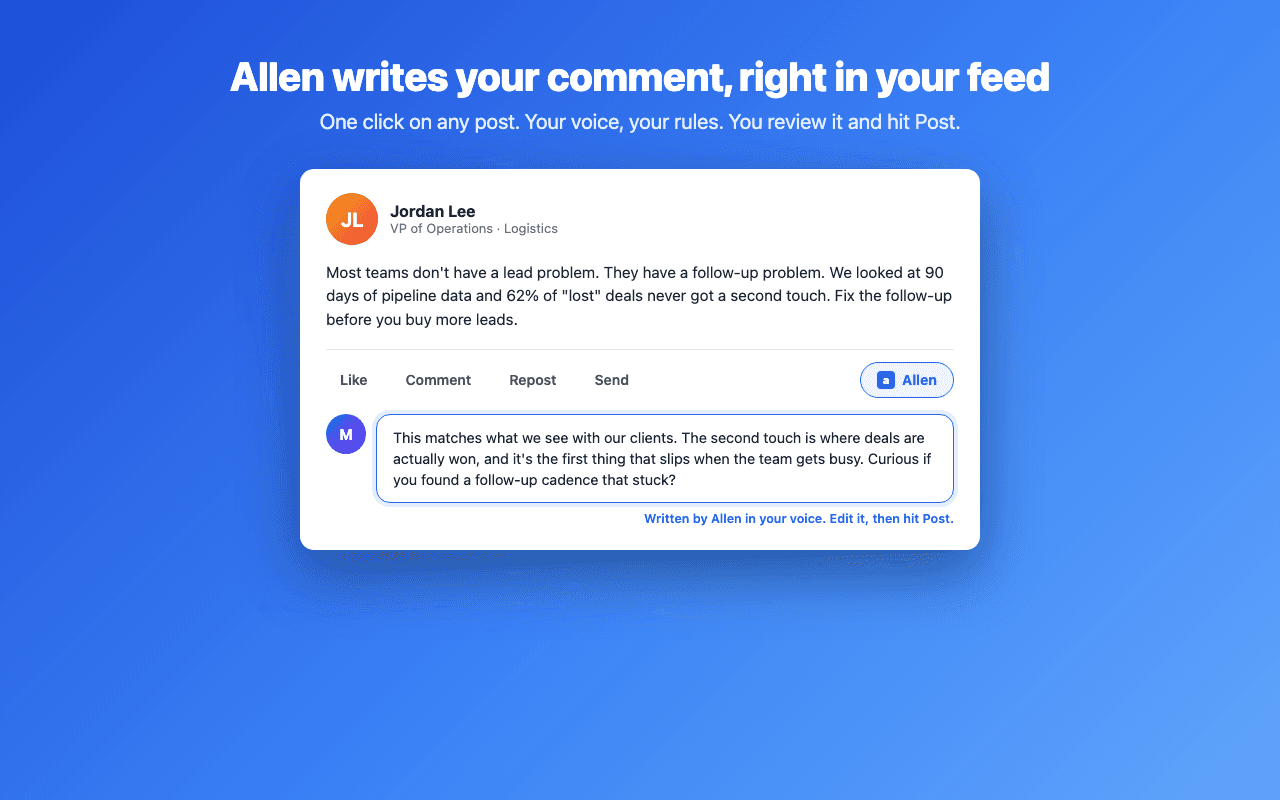
A button on every LinkedIn post. Click it and your comment appears in the comment box, written in your voice. No tab switching, no copying and pasting.
Chrome, Brave & Edge · Needs an Allen account
Four steps
01
Install it
Add it from the Chrome Web Store in one click. It works in Chrome, Brave, and Edge from the same listing.
02
Scroll like you always do
The extension adds a small Allen button to the action bar of every post in your feed, next to Like and Comment.
03
Click Allen on a post worth answering
Allen reads that one post and writes a comment using the voice profile and custom rules from your account.
04
Read it, tweak it, post it
The comment lands in LinkedIn's own comment box. Edit anything you want, then hit Post yourself.
You stay in control.
The extension drafts. You decide. Nothing reaches LinkedIn until you press Post yourself.
What it does
- Writes in the voice you trained on tryallen.ai
- Follows your custom rules, like never using certain words
- Reads only the single post you click on
- Lets you add a note first if you want to steer the comment
- Works on any post you find yourself, on top of what Autopilot does
- Adds anyone to your watchlist from their profile, so Allen checks their posts every run
What it never does
- Never posts, likes, or connects on its own
- Never asks for your LinkedIn password
- Never reads your feed in the background
- Never touches your messages or your connections
The extension is included with every Allen plan. Each comment it writes uses a few credits from your monthly pool, the same pool Autopilot and your searches draw on. It signs in with the Allen account you already have, so there is no second password to manage. Read the privacy policy for the full detail on what is sent and why.
Set it once.
Let Allen work..
Tell Allen who you want as customers and turn on Autopilot. Every day it finds them, comments in your voice, and hands you a DM for everyone who replies.