
Features
Everything Allen does
while you work.
You tell Allen who you want as customers. Every day it finds their posts and leaves a comment that sounds like you. When someone writes back, Allen sends you an email. It can help with your own posts too.
Features
Seven things Allen does for you.
You set Allen up once. After that it finds your customers' posts, comments on them, and tells you who wrote back. It can help with your own posts too.
Allen posts for you.
Autopilot is the switch that lets Allen post for you. On the days you pick, it finds posts from your customers and leaves a comment that sounds like you. You get the list by email first and can remove any comment.
Allen never asks for your LinkedIn password. Pause any time.
plan emailed at 8:02 AM · pull any comment before it posts
analyzing your tone...
Sounds like you.
Show Allen a few comments you wrote. Add rules like "keep it to two sentences." Every comment and message sounds like you. Fix one you don't like and Allen learns.
Finds your customers.
Tell Allen who you want as customers: their job, their kind of business, where they are. Allen suggests a list to start. You change it until it is right.
“Would love to hear how you'd approach this.”
“Agreed. Are you open to a quick chat?”
Tells you who wrote back.
When someone answers your comment, Allen emails you their name and what they said. It adds them to your Pipeline, your list of people who wrote back.
Writes your next message.
For everyone who writes back, Allen writes a short message that sounds like you. Copy it, open LinkedIn, press send.
248
posted
37
replies
Shows what is working.
See how many comments went out and how many people wrote back. Look at any past day.
Helps with your own posts.
Tell Allen what you want to say. It writes the post so it sounds like you. You fix it up and pick a time. Allen posts it from your LinkedIn account.
Add a picture or a PDF.
Also included
You also get all of this.
Watchlist
Name the people you never want to miss. Paste a profile link or upload your LinkedIn connections, and Allen checks them for new posts first.
More people like your best customers
Paste up to five of your best customers' profile links. Allen finds more people like them.
Pipeline
Everyone who writes back goes on one board. Move each person along as you talk, and note what the deal is worth.
Works with your customer list
Already keep customers in HubSpot, Salesforce, Pipedrive or GoHighLevel? Send a person there with one click. TaxDome works through Zapier.
Carousels and post ideas
Turn an idea into a swipe-through post. Try a few opening lines. Look at posts that did well for ideas.
Chrome extension
An Allen button on every LinkedIn post. One click writes a comment that sounds like you. You read it and press Post.
Works with Claude and ChatGPT
Use Claude or ChatGPT? Connect Allen and ask it about your comments, your posts and who wrote back.
Ask Allen
A chat inside Allen that knows your account. Ask it anything, like why today found fewer posts.
Inside the app
What you see when you log in.
These are real screens from Allen, shown with a demo account.
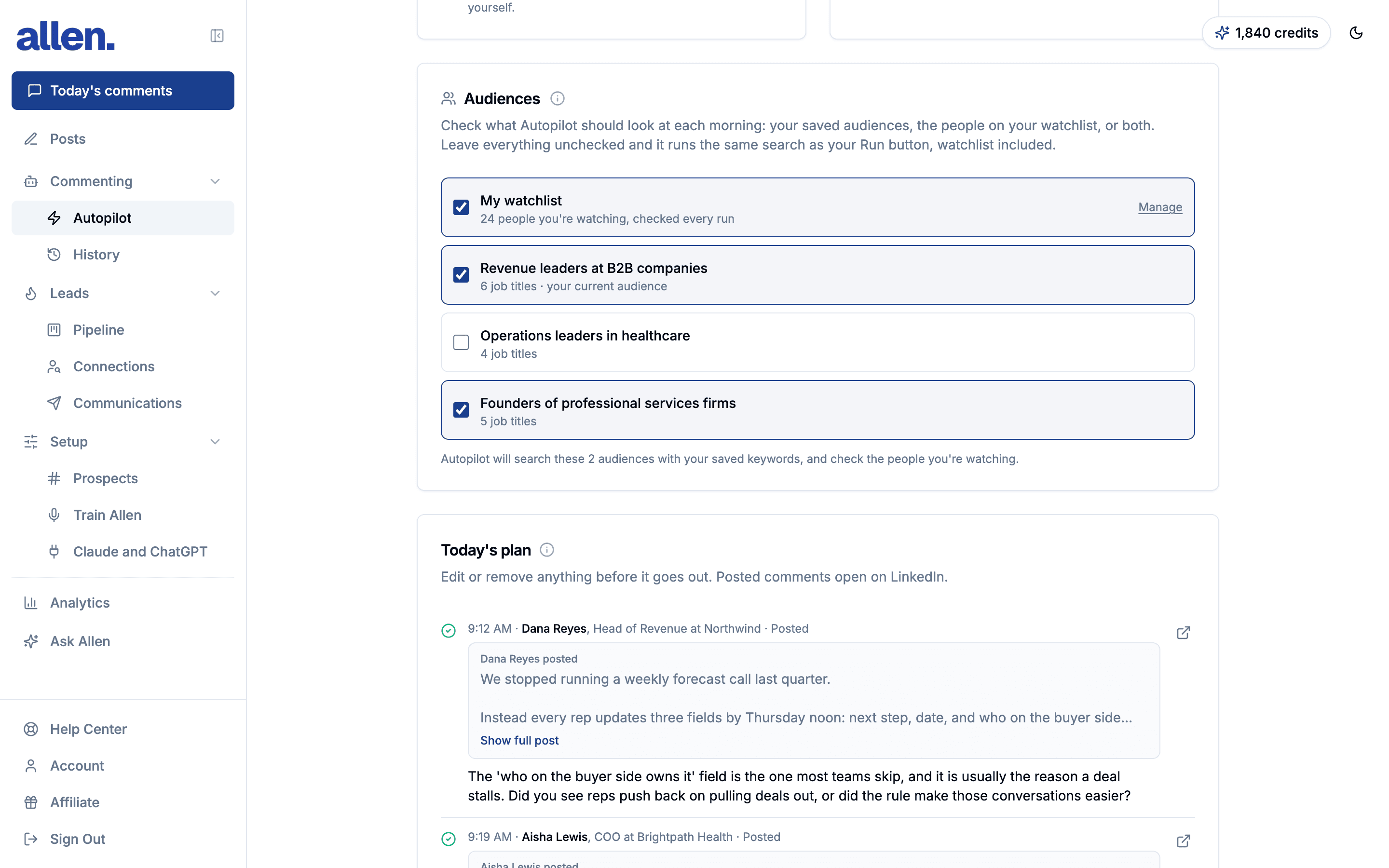
Autopilot
See the list before anything posts.
Pick which groups of customers Allen looks at. Each morning you get the list. Change or remove any comment before it goes out.
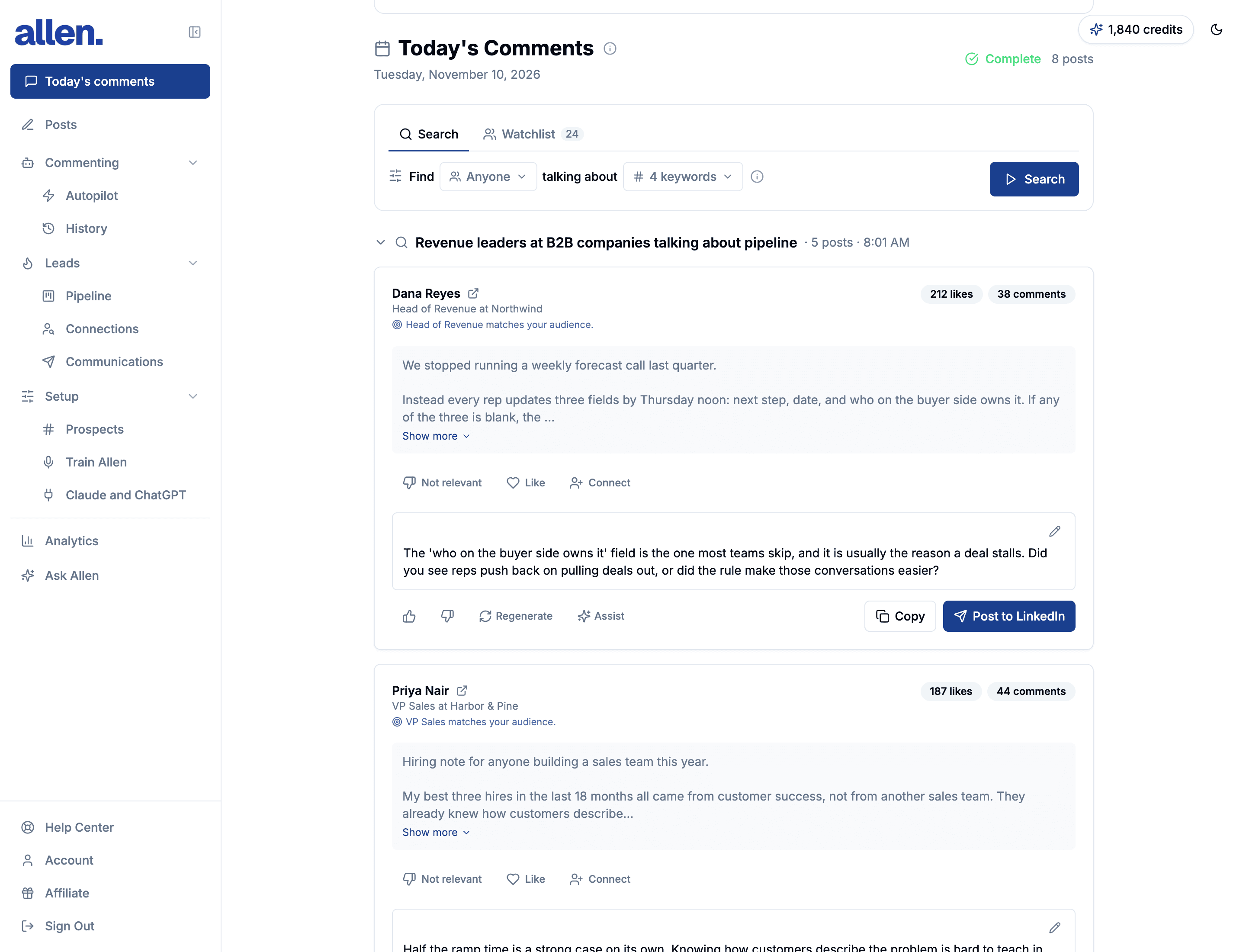
Today's comments
The posts Allen found, with your comment already written.
Each card is a new post from one of your customers. Post the comment as it is, change it, or ask for a shorter one.
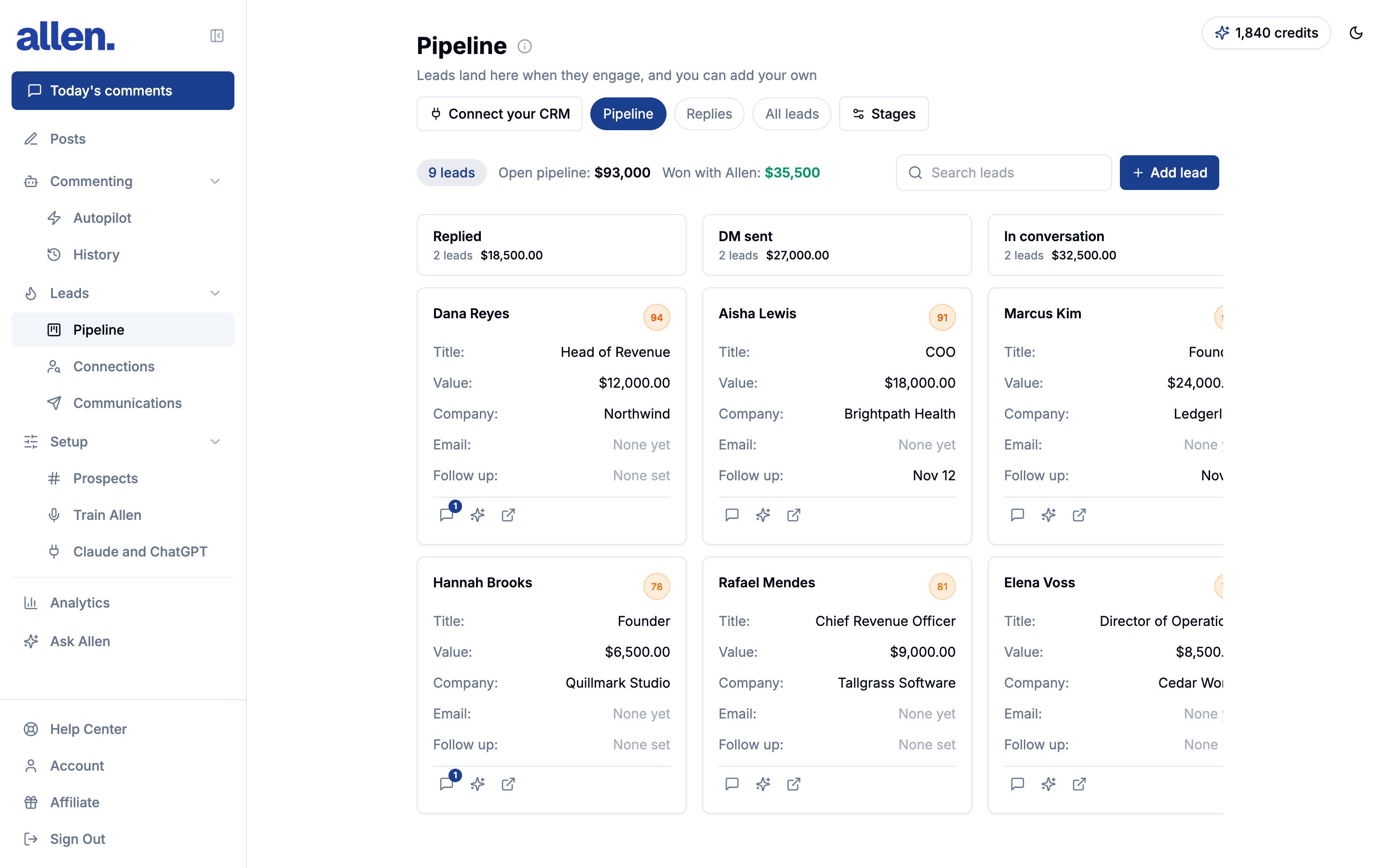
Pipeline
Everyone who wrote back, in one place.
When someone answers a comment, they show up here. Move them along as you talk, and note what the deal is worth.
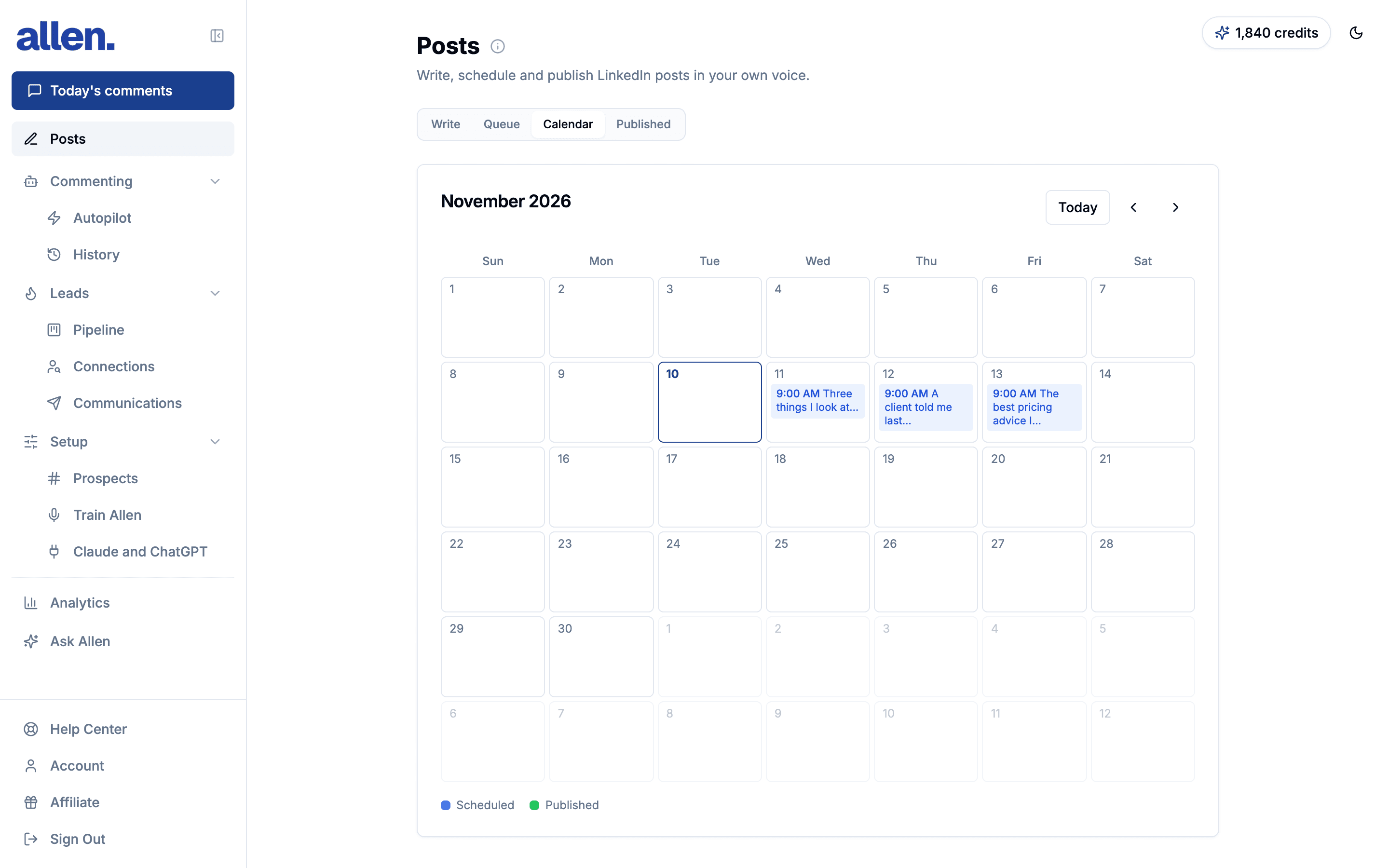
Posts
Your own posts, written and scheduled.
Tell Allen what you want to say. It writes the post so it sounds like you. You fix it up, and it goes out when you pick.
Communication plan · Waitlist
Allen connects, messages,
and books the meeting.
This is a bigger plan for people who want Allen to do more. After the comment, Allen asks to connect, sends messages that sound like you, and sets up the call.
- Asks to connect with people who wrote back, and with people like your customers
- Sends a first message and two reminders, written for that person
- Answers their replies and offers times you are really free
- Puts the call on your calendar and sends them the invite
- Daily limits, a slow start, and an on and off switch for every step
$297/month. Waitlist signups get 7 days free.
Dana Reyes
Owner @ Reyes Heating & Air
Your post on hiring techs off job boards hit home. We have been fixing that exact problem for HVAC shops this year. Worth a 20-minute look at how?
Maybe. What does it actually involve?
A short hiring plan call: your open roles and timeline, what a 14-day fill looks like, and whether it is a fit either way. Tuesday 10:00 or Wednesday 2:30, your time?
Wednesday 2:30 works.
Hiring plan call · Wed 2:30 PM
On your calendar, invite sent with a video link
Set it once.
Let Allen work.
Tell Allen who you want as customers. It comments on their posts every day and tells you who writes back.